
Sentence mining is the practice of collecting real sentences containing exactly one unknown word (an "i+1" or "1T" sentence) directly from native materials you enjoy—books, articles, games, and shows.
What is Sentence Mining (and Why It Works)
Unlike pre-made HSK frequency decks where words are learned in a vacuum, a mined card carries emotional and situational context. When you review the sentence later, your brain instantly remembers the scene, the character, and the feeling, cementing the word into long-term memory.
Yet thousands of learners abandon sentence mining within a month. Why? Because manual card creation is painful.
The 'Collector's Fallacy' of Anki
Here is what the typical manual mining workflow looks like on macOS:
- You see an unfamiliar word in a PDF or browser.
- You copy the word and paste it into Pleco or Google Translate.
- You copy the definition and switch to Anki.
- You hit
Add Card, paste the word into the Front field, paste pinyin into the Pinyin field, paste the definition into the Back field. - You switch back to your book, copy the entire sentence, switch back to Anki, and paste the sentence into the Context field.
- You switch back to your book and try to remember what you were reading.
This process takes 45 to 60 seconds per card. If you mine 15 cards in a reading session, you spend 15 minutes doing clerical data entry rather than reading Chinese.
Anatomy of an Effective Chinese Anki Card
A high-retention Chinese flashcard should have specific elements:
他听完这句话,不仅没有生气,反而哑然失笑。
Target word: 哑然失笑
to laugh involuntarily; to be unable to restrain a smile.
"Hearing this, far from being angry, he burst into laughter involuntarily."
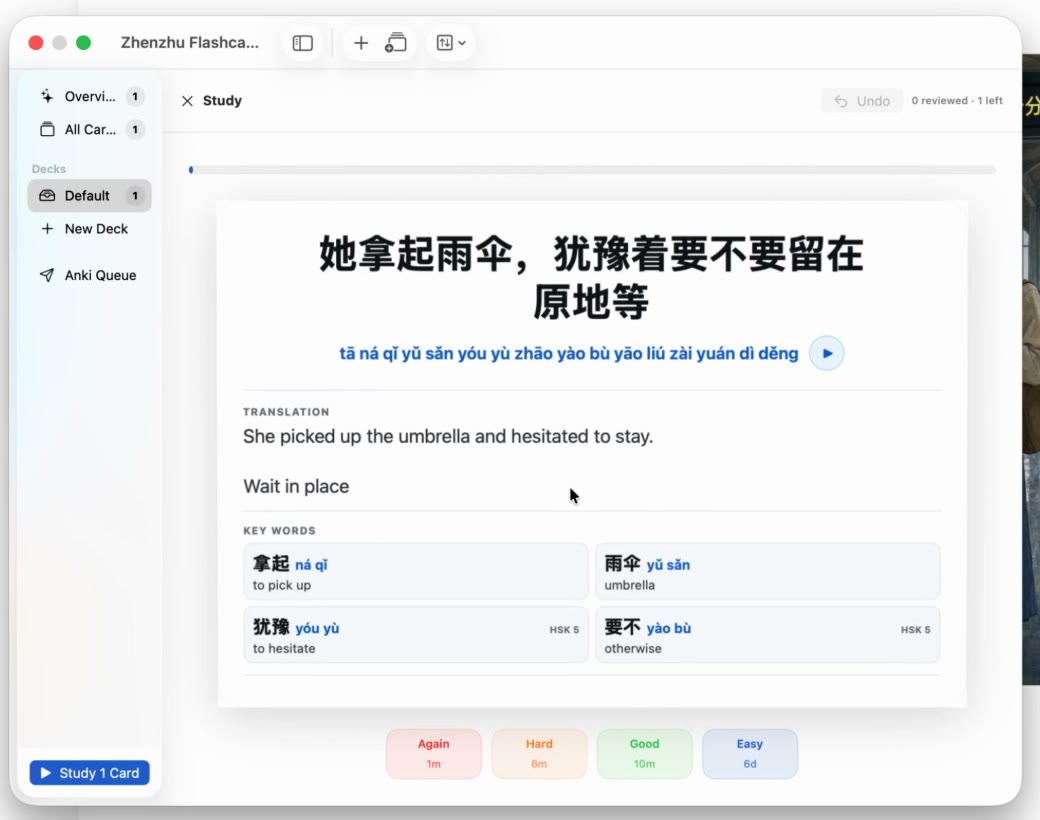
- Full Sentence on Front: Provides context clues and trains reading speed in real syntax.
- Bolded Target Word: Focuses the review strictly on the specific vocabulary item.
- Accurate Pinyin with Tone Marks: Prevents tone amnesia.
- Concise Definition: Kept brief so reviews take under 4 seconds per card.
- Natural Sentence Translation: Verifies that you understood the full sentence grammar, not just the isolated word.
Step-by-Step macOS Mining Setup with Zhenzhu
You can automate this entire pipeline on your Mac with Zhenzhu and Anki Desktop.
Step 1: Install Anki & AnkiConnect (Free)
- Ensure Anki Desktop is installed on your Mac.
- In Anki, go to
Tools → Add-ons → Get Add-ons...and paste the code for AnkiConnect:2055492159. - Restart Anki. AnkiConnect provides a safe, local API allowing apps on your computer to create cards directly.
Step 2: Configure Zhenzhu's Anki Integration
- Open Zhenzhu from your menu bar and go to
Settings → Anki Integration. - Toggle Enable Anki Connection. Zhenzhu will detect your local Anki profiles and decks.
- Select your target Chinese deck and note type. Map your fields (Target Word, Pinyin, Definition, Sentence Context, Sentence Translation).
Step 3: Mine in One Click While Reading
Now, whenever you are reading in Apple Books, Kindle, Preview, or Safari:
- Select the Chinese text or press your Zhenzhu global shortcut.
- The lookup card pops up with pinyin, definition, and the segmented sentence.
- Click Add to Anki (or press
Command + S). - Zhenzhu formats the card, injects the sentence context, boldens the target word, adds pinyin, and sends it directly to your Anki deck in the background.
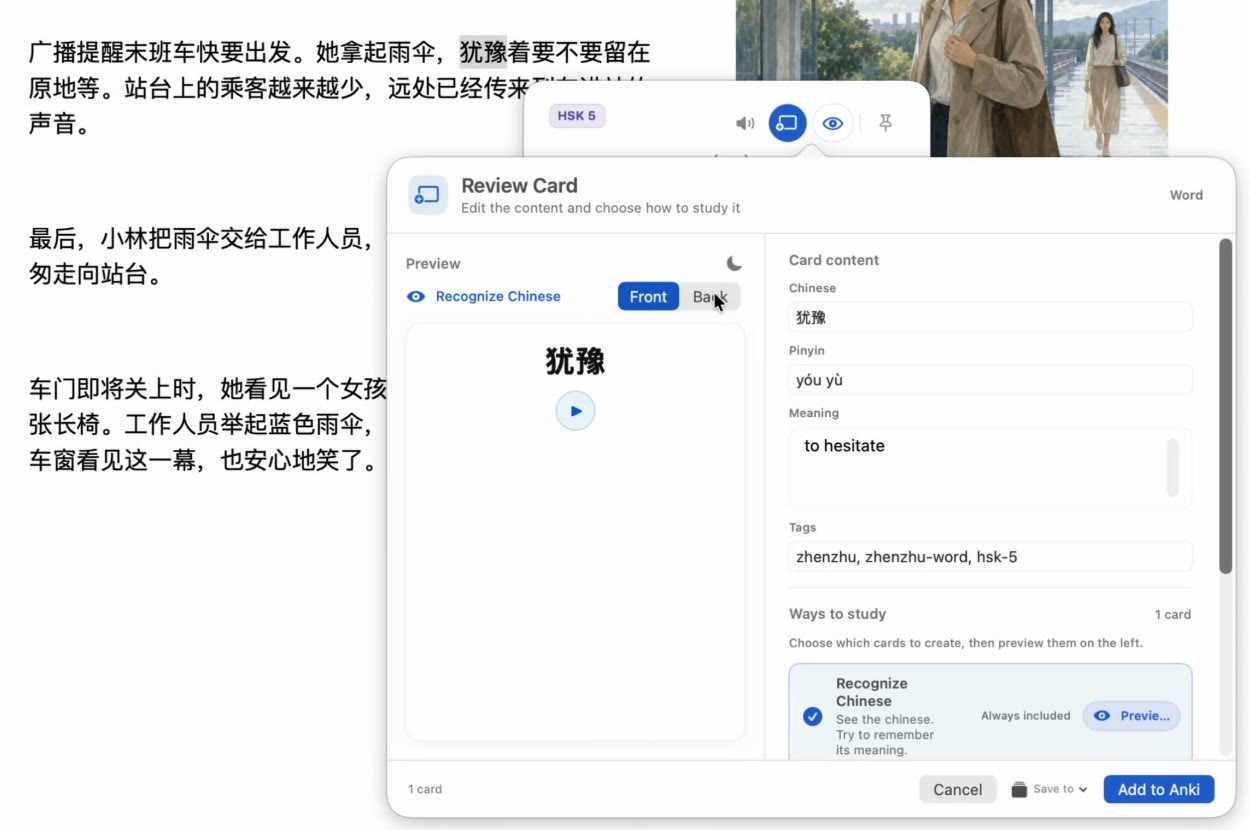
Total time spent: 1.2 seconds. You never leave your book, and your reading flow remains unbroken.
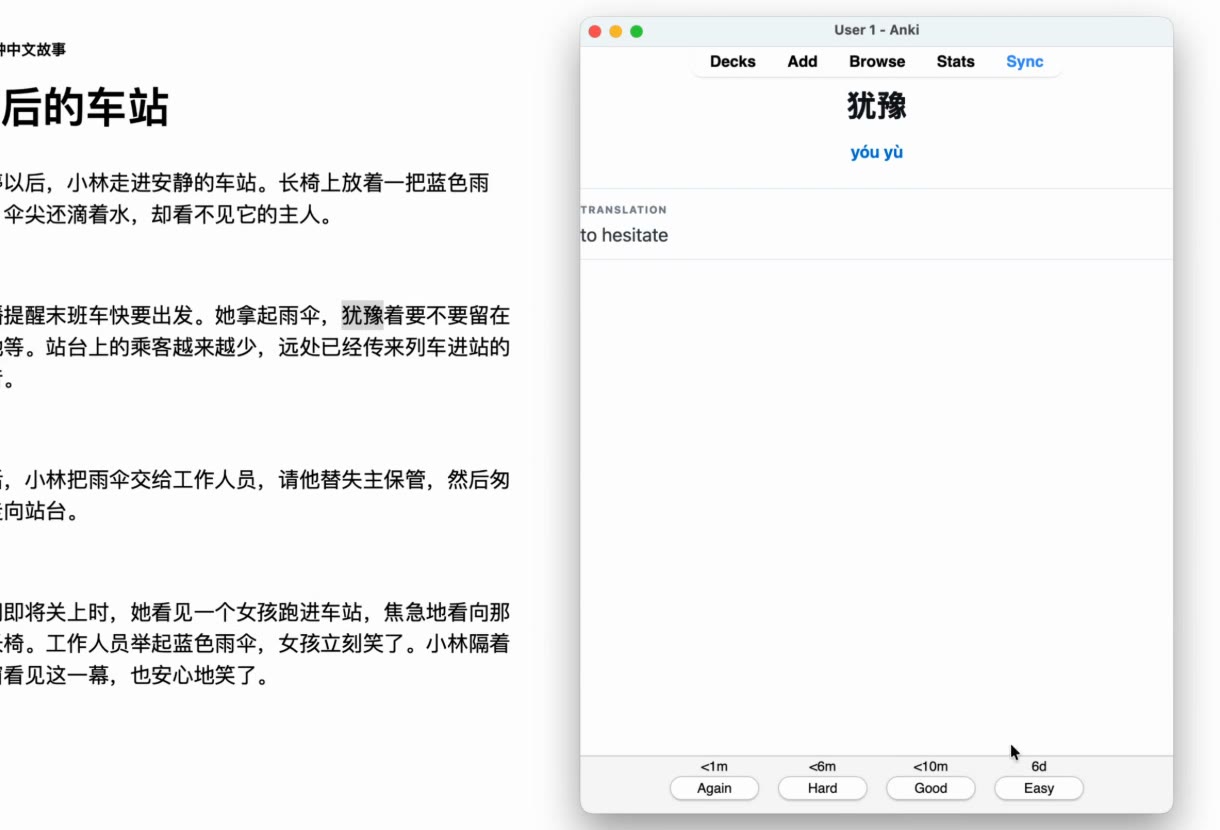
Built-in FSRS vs. Anki: Which Should You Use?
Zhenzhu also includes a native, built-in flashcard system powered by FSRS (Free Spaced Repetition Scheduler), the modern replacement for Anki's legacy SM-2 algorithm.
| Feature | Zhenzhu Built-in FSRS | Anki Integration |
|---|---|---|
| Setup complexity | Zero setup. Ready out of the box. | Requires Anki desktop + AnkiConnect plugin. |
| Review interface | Clean, native macOS UI from menu bar. | Anki desktop or AnkiMobile app. |
| Mobile syncing | Local on Mac (exportable to CSV/JSON). | Syncs to iPhone/iPad/Android via AnkiWeb. |
| Scheduling Algorithm | State-of-the-art FSRS. | FSRS or SM-2 (depending on your Anki settings). |
| Recommendation | Ideal if you prefer reviewing on your Mac with zero configuration. | Ideal if you already have a 10,000+ card collection or review on your phone. |
Read Chinese on your Mac without friction
Selection lookup, on-device OCR, pinyin tone marks, HSK context, and 1-click Anki export. Try Zhenzhu Free today on macOS 15+.